
Users
Manage users, invitations, and permission states from one place.
Centrally manage your entire Morvra organization from one powerful console.
The Morvra Admin Console gives IT administrators complete control over users, licenses, security, AI features, and more, securely and efficiently.
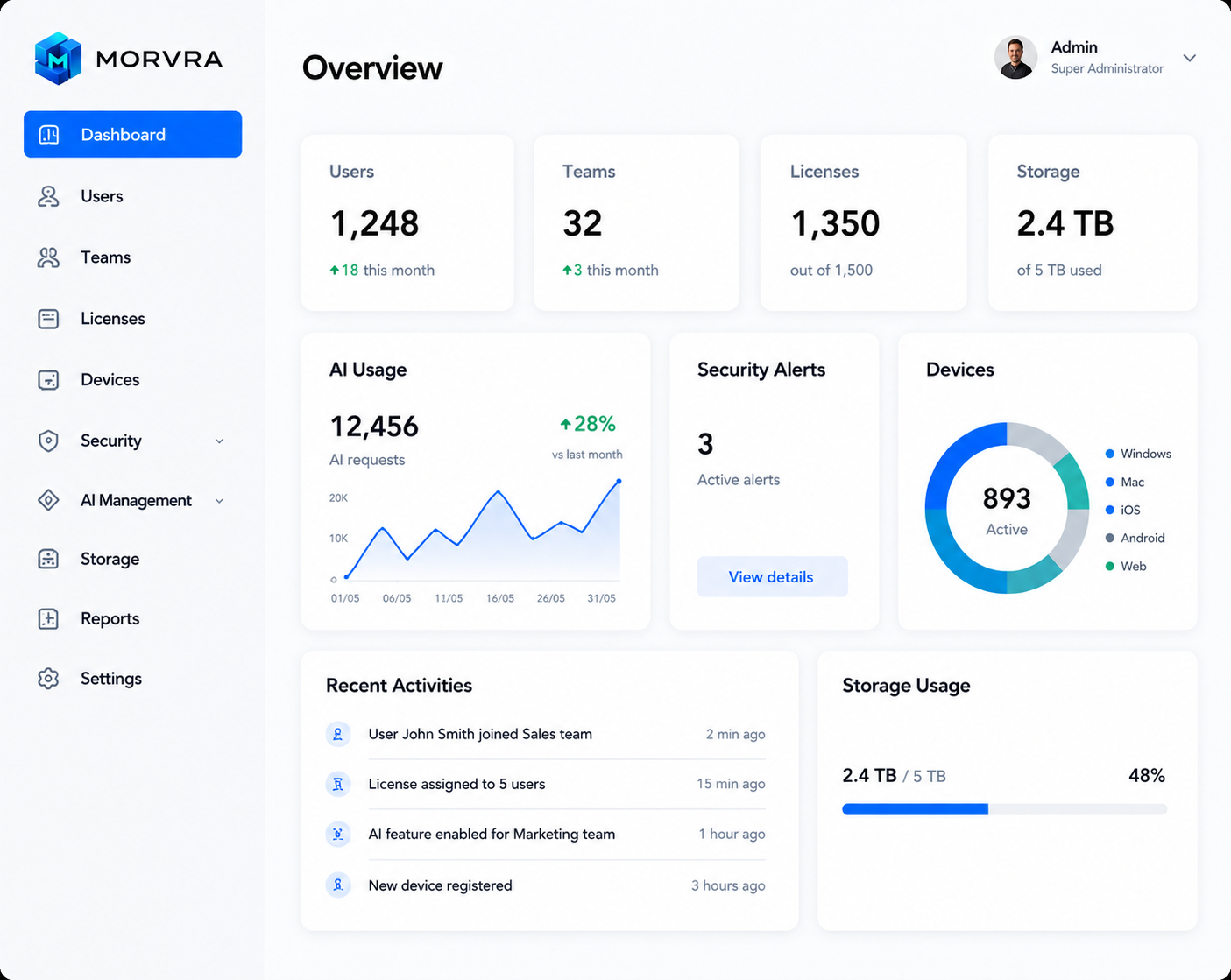
Manage every aspect of your organization with one powerful administrative center, from people and permissions to AI activity and reporting.
Manage users, invitations, and permission states from one place.
Group people by department, function, or operational unit.
Assign, reclaim, and monitor seats without manual back-and-forth.
Monitor activated devices and keep access tied to managed endpoints.
Track storage usage and capacity across workspaces and teams.
Review access boundaries, alerts, and policy coverage centrally.
Control AI usage, model access, and assistant behavior by team.
Turn admin activity into organization-wide visibility and action.
Structure administration around the way enterprises actually operate: organization, department, team, and user. Apply roles, licenses, storage, and policy at each level.
Extend control across users, departments, AI usage, devices, document sharing, and policy enforcement without breaking how teams work.
Define who can administer, review, or approve across every workspace.
Apply policy logic by department so governance maps to real teams.
Control which teams can use AI features, models, and automation scopes.
Limit access by managed device status, endpoint rules, or session controls.
Decide how documents move internally and what can leave the organization.
Set retention, export, and handling rules for document-heavy workflows.
Help admins make organization-level decisions with real-time signals across license, AI, storage, security, activity, and adoption.
The Morvra Admin Console empowers your IT team to work smarter, stay secure, and scale with confidence.